Menus that turn pages, and a steadier automatic hunt
Every menu now fits its window: tabs, compact selection and previous/next pages instead of scrolling. Combat never pauses behind a panel.
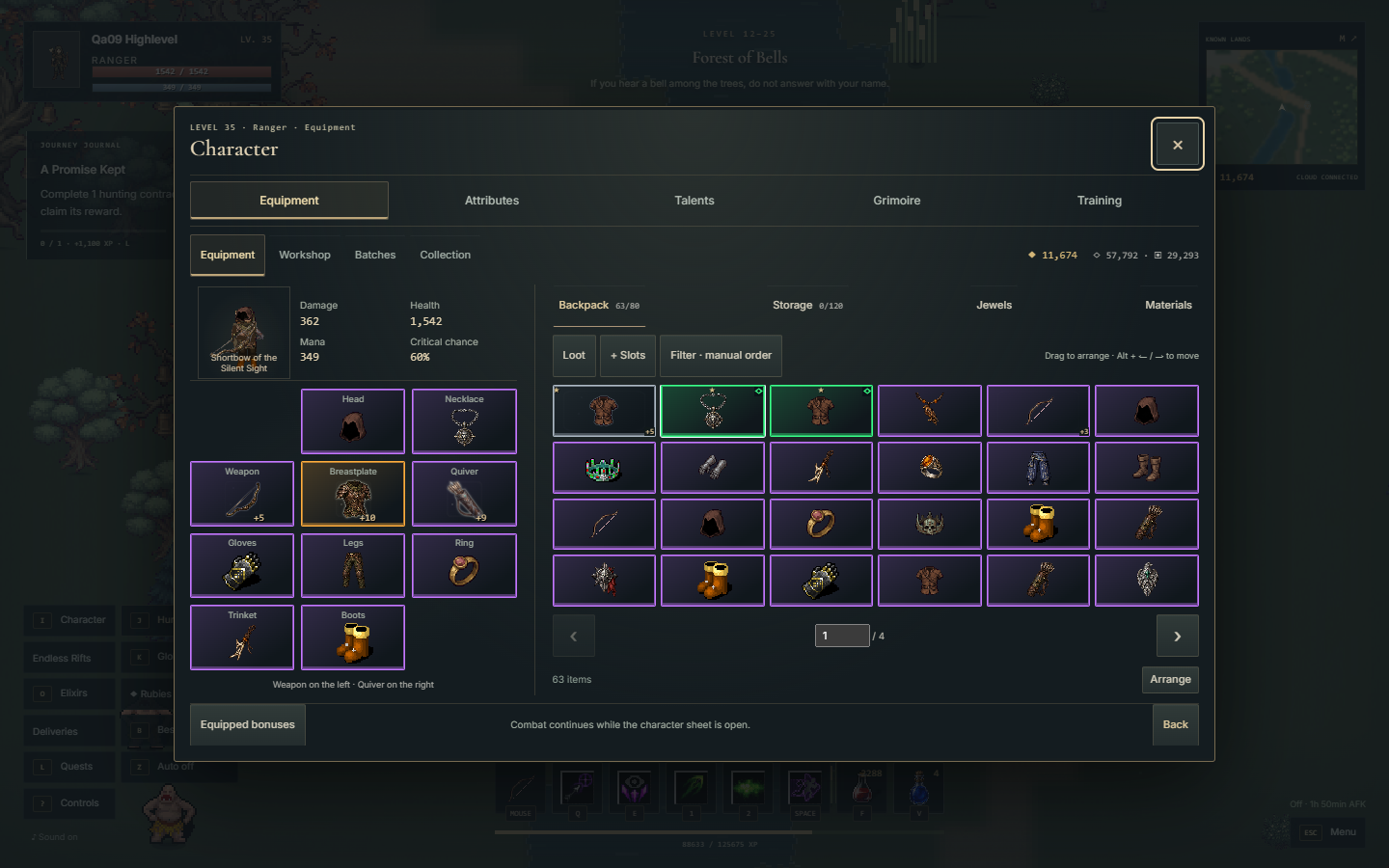
Version 0.45.0 removes native scrolling from every menu in the game, including scrolls of text, options and the account screens. Long content is split into pages you turn, with tabs and compact selectors in front. The world keeps running while a menu is open.
What changed
- Skills, talents and training use compact lists with a separate sheet for details and actions. Your selection and focus survive an upgrade.
- Backpack, chest, gems and materials show 6, 12, 16 or 24 cells per page depending on the window, with a direct page jump. Drag, touch and keyboard sorting still work, and batch selection covers the whole inventory, including items outside the visible page.
- Item sheets, comparison, reinforcement, affixes, runes, sockets, fusion, crafting, filters, recycling and the collection use layered sheets. Close, tabs and main actions stay outside the paged text.
- Hunts, bosses, Rifts, evolution, quests, contracts, bestiary, ranking, help, options and mobile shortcuts follow the same page system.
- The Atlas keeps catalogue and selected place in tabs, with description and fauna paged and travel separated from the text.
- Account: sign-up in steps, characters in pages and messages in sheets. An invalid field reveals its step before receiving focus.
Automatic hunting fixes
The automatic mode no longer insists on targets inside an excluded boss zone when there is no legal approach. It also recovers your own drops when you cross the edge of a hunting area or start the walk back, without widening the enemy selection. Bosses chasing a summon now update their state from that target's distance.